
There is a famous El Paso TV commercial, filmed in the 2000s in Australia (where our CEO is from), in which, faced with the impossible choice between hard-shell and soft-shell tacos, the little kid protagonist asks why not both: “¿Por qué no los dos?”
Let that be our guiding philosophy as we compare Float to Enterprise Resource Planning (ERP) systems like Oracle NetSuite, Microsoft Dynamics 365, or Workday. This is not an either/or choice, as neither tool replaces the other. Instead, it’s a perfect example of how two different systems, each highly specialized in its domain, can complement one another.
The question we’re answering below is not “do you need Float or an ERP?” but rather <highlight>“why should you pair your existing ERP with a dedicated resource management system like Float?”</highlight>
You already know why you need an ERP
If you’ve already got an ERP or are actively evaluating one, you know what problem(s) it’s designed to solve for your business:
- Gives you a single hub for finance, accounting, HR, and regulatory compliance
- Offers data integrity and financial compliance, taking much of the heavy admin work off your hands
- Manages complex operational workflows like multi-currency invoicing, revenue recognition, historical profitability tracking, and payroll overhead
This is all great if you’re auditing historical spend or closing the quarter, working on a Finance or Legal team, and/or need a reliable system of record for the business.
However, if you work in resourcing & delivery and your ongoing goal is to optimize utilization, protect team margins, and make project delivery smoother… then yes, you will quickly run into two critical operational bottlenecks:
- ERPs are not primarily designed for day-to-day resource management. ERPs are built around the financial and operational data that underpins the business, which makes them great systems of record; on the flip side, they are notoriously too rigid for the day-to-day reality of changing allocations, shifting capacity, and evolving project requirements.
It’s a bit of a square peg, round hole scenario: you can make an ERP work for resourcing, but you’re ultimately trying to bend a rigid financial framework to manage fast-paced, day-to-day workflows. Quite often, delivery teams end up building a giant side spreadsheet just to manage resourcing outside the ERP. It rarely ends well. - You lack a forward-looking view. ERPs can excel at showing what was spent after invoices and timesheets are processed. But for Ops leaders and their delivery teams, the challenge is often looking ahead: modelling future pipeline against current availability, forecasting hiring needs, and spotting (and fixing) capacity bottlenecks before they disrupt delivery.
What changes when you add Float to your ERP
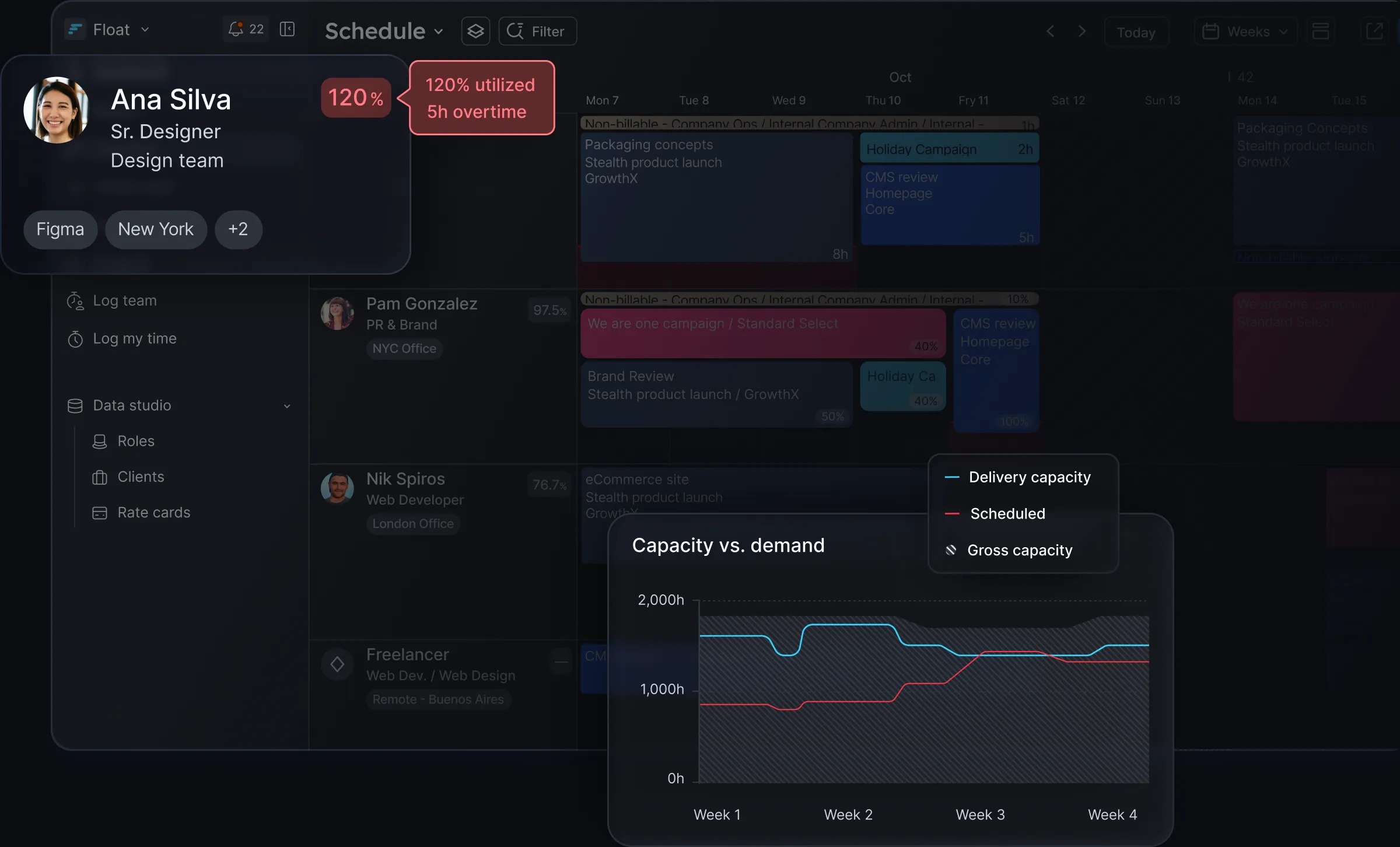
We’ve established that ERPs are great at managing the financial truth of your business. In turn, a dedicated resource management system like Float gives Directors of Operations and their delivery teams a dynamic system for managing utilization, forecasting capacity, and making resourcing decisions that protect margins.
<highlight>Why Float specifically, you ask?</highlight>Float is the #1 rated resource management software, and has topped G2’s grid for eight seasons in a row. We launched in 2011 and have been single-focused on resource management ever since; 15 years later, we are trusted by 4,500+ customers and teams around the world—including M+C Saatchi, Wieden+Kennedy, Mother, AirBnb, and Google—to plan resources, manage capacity, and deliver projects more effectively.
Integrate your ERP with Float, and you get:
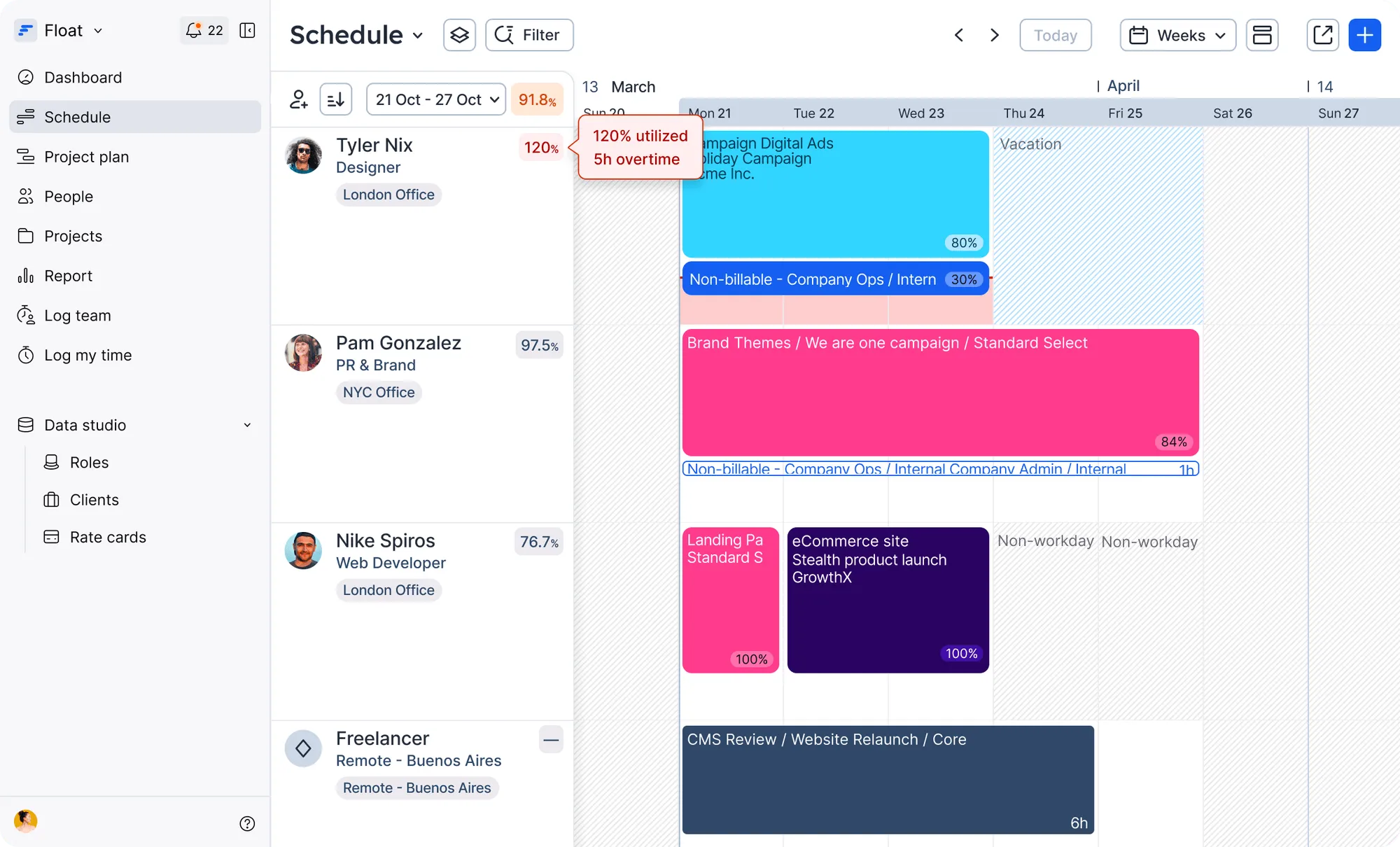
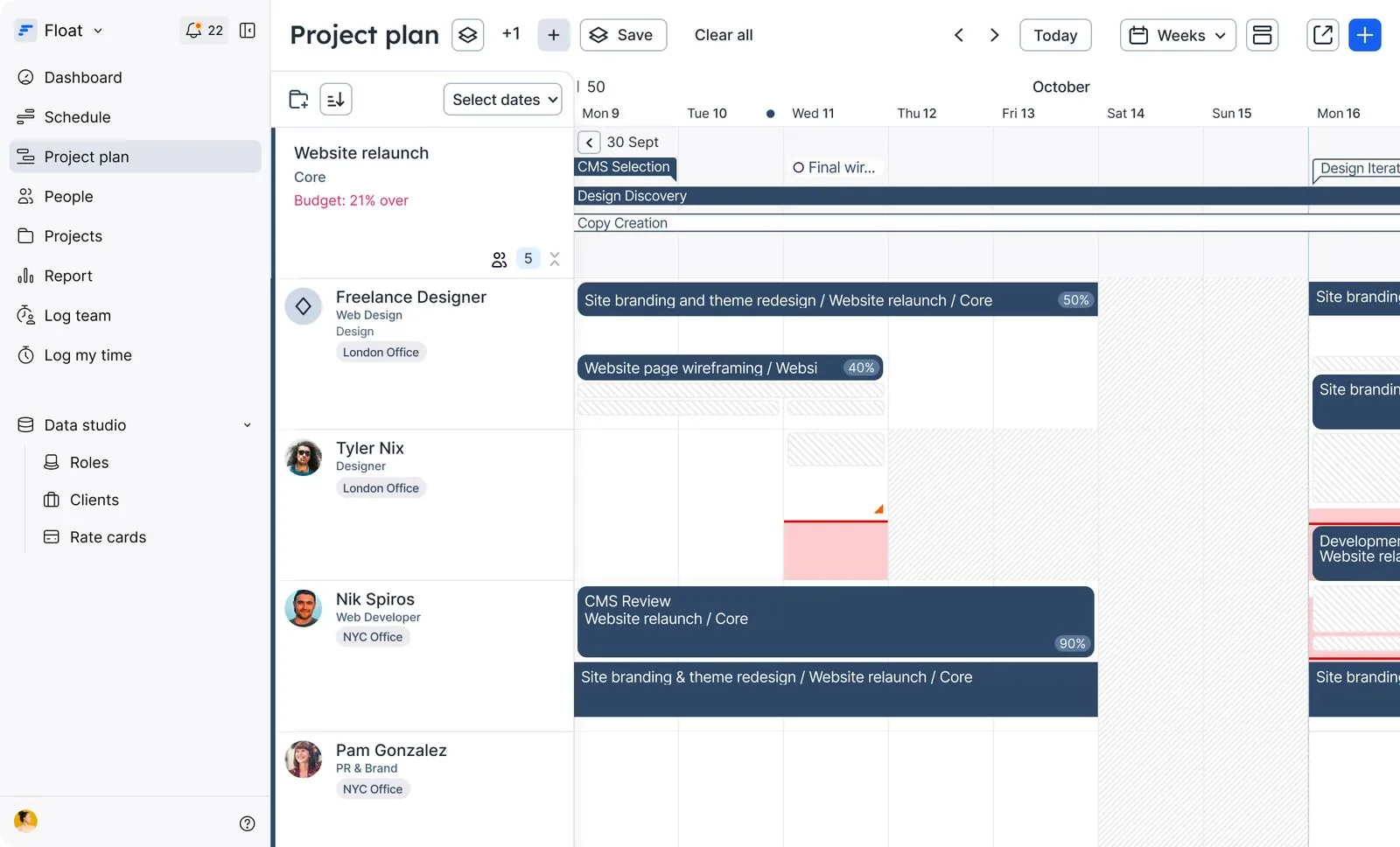
- A highly visual and flexible schedule. We cannot overemphasize how much smoother operations can run when you replace chaotic side spreadsheets or rigid calendars with a single, real-time view of your team’s availability, utilization, and allocations.
- Forward-looking utilization indicators. Float will flag over-allocated teammates in red weeks in advance, giving you the opportunity to reallocate work, manage capacity, and protect billable revenue.
- Frictionless timesheet submission. Your team can submit pre-populated daily time logs based on scheduled tasks in just a few clicks, which helps improve timesheet adoption and keeps your data clean.
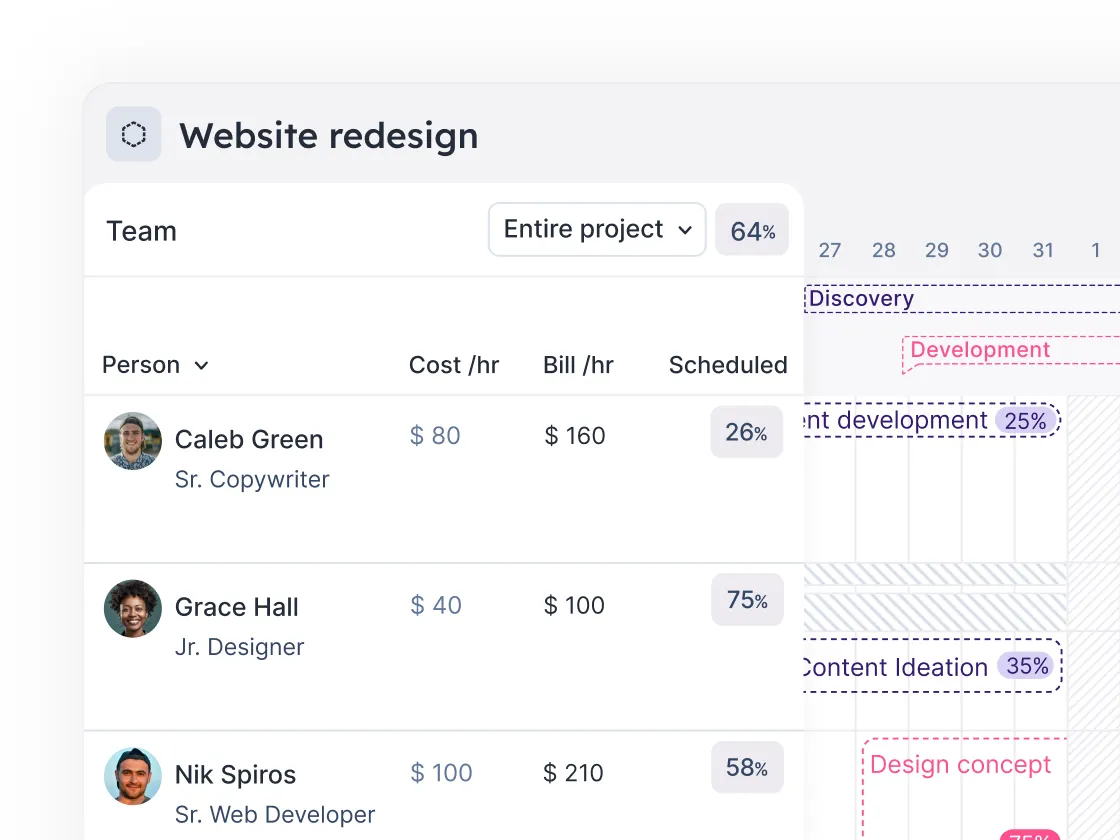
- Real-time reporting. Compare scheduled estimates to actual logged time instantly, so you can stop margin leakage long before a project wraps up.
- Accurate project estimates. Build multiple projections to explore different budgets and resource mixes before Sales even close the deal.
- AI-powered talent intelligence. Float uses machine learning to match unassigned roles to the closest fit; it also automatically builds live experience profiles based on past projects and client history, making it obvious who has the exact industry exposure you need.
Standalone ERP vs. ERP + Float: what’s different
Your ERP remains the system of record for the financial side of the business. Adding Float gives your delivery and operations teams a dedicated home for planning, scheduling, and managing resources.
<table>Capability|Standalone ERP|ERP + Float~Financial system of record|✓|✓~Accounting and compliance|✓|✓~Historical financial reporting|✓|✓~Team scheduling|Limited / configuration-dependent|✓~Utilization management|Limited / configuration-dependent|✓~Capacity forecasting|Limited / configuration-dependent|✓~Project and resource planning|Limited / configuration-dependent|✓~Timesheet data|✓|✓~Financial actuals + operational capacity in one workflow|—|✓~Best suited to|Financial and enterprise control|Resourcing and delivery management</table>
Float + your ERP: the ideal workflow
When Float and your ERP work together, the workflow can look something like this:
1. The contract is logged in the ERP whenever your team wins a project.
2. Your Resource managers use Float to map out the project timelines and allocate the right people. They can see availability in real time and (re)allocate resources as priorities, timelines, or requirements change.
3. Team members track their actual hours inside Float. Float pre-populates timesheets based on each person’s scheduled tasks for the day, making it easier for teams to submit accurate hours and keep clean, reliable data. At the same time, Directors of Operations can use Float to get a live view of project progress, utilization, and potential margin issues.
4. Integrations keep project and time data flowing between Float and the ERP. For example, Float’s NetSuite integration can bring project and resource data into Float, while allocations and logged time in Float can sync back to NetSuite.
5. The ERP uses that data to generate the client invoice and update the general ledger.
Your ERP + a dedicated resource management system = 🔥
Your ERP holds the financial system of record your business needs. Float gives your delivery and operations teams the real-time visibility and flexibility they need to manage the people and projects behind those numbers.
Together, they connect two sides of the business that need to work in sync: the financial truth of what happened and the operational reality of what’s happening next. Why choose one when you can have both?
See Float in action: watch this 3-minute product tour to see how Float helps your team plan resources, manage capacity, and keep projects on track—alongside the systems you already use.
FAQs
A few helpful FAQs, answered
No. Float and an ERP serve different purposes. Your ERP remains the system of record for financial and enterprise data, while Float is a dedicated home for resource planning, scheduling, capacity management, and delivery operations.
Yes: Float integrates with a range of business systems, including ERP and financial platforms. For example, its NetSuite integration can sync project, resource, allocation, and time data between the two systems.
If you’re asking the question, you probably already know the answer 😉
ERPs may offer resource management functionality, but Float is purpose-built around the day-to-day reality and needs of resource and delivery teams. Where an ERP will often go wide, we go deep: we give teams a dedicated space for scheduling, utilization, capacity planning, and resource allocation.
Float is particularly useful for mid-market professional services teams and in-house creative studios responsible for resourcing and delivery; this includes Resource Managers, Project Managers, and Directors of Operations who need visibility into team availability, project requirements, utilization, and capacity.