%%Capacity planning%% that keeps workloads balanced
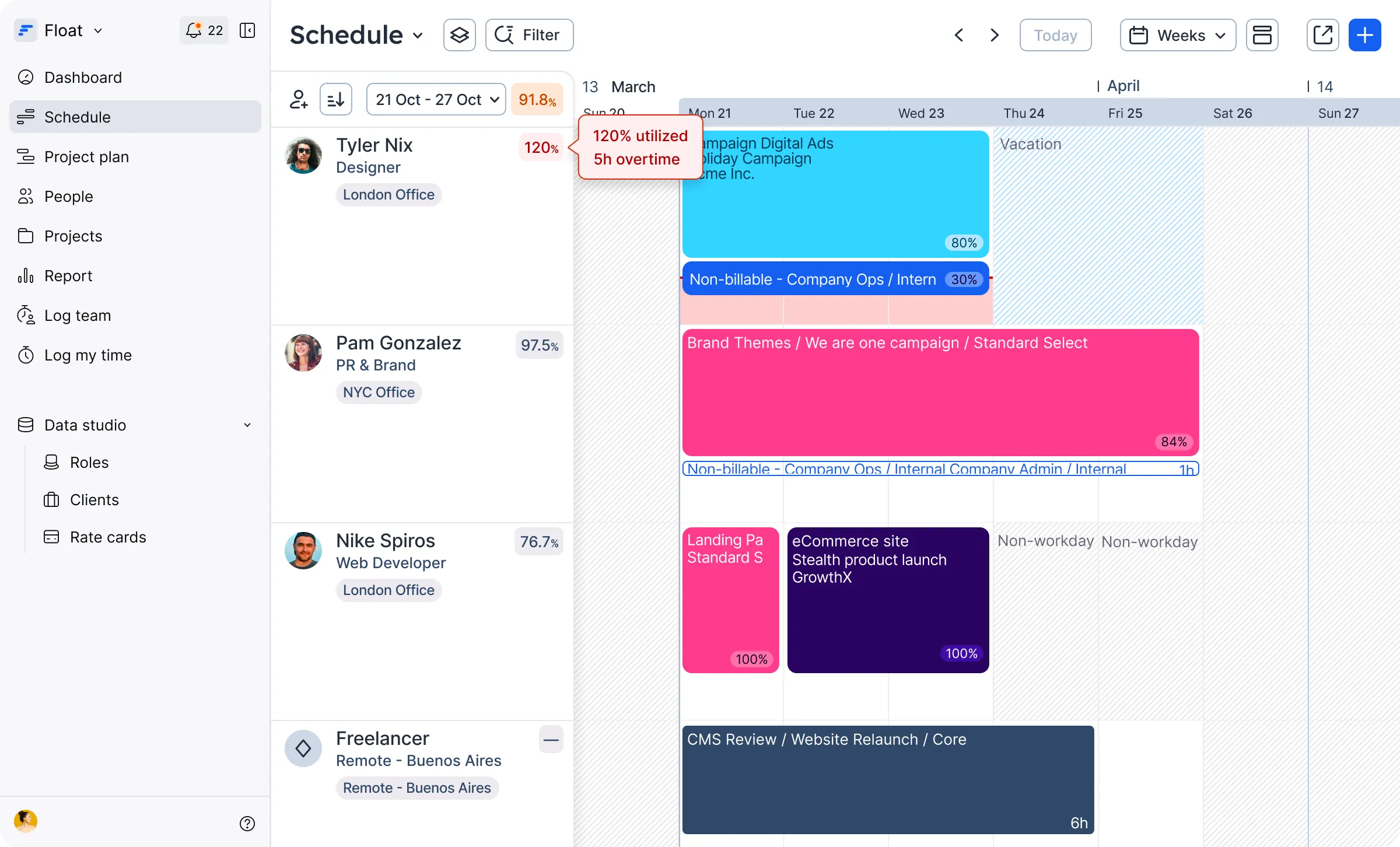
Get a complete view of everyone’s capacity and availability, including time off, to prevent burnout.
Bet your spreadsheet won’t flag it
Spreadsheets show tables, not available time. The capacity planning features in Float can help you quickly spot conflicts so no one is double-booked or overworked.
Built to be the single source of truth for capacity and scheduled work
Live capacity tracking
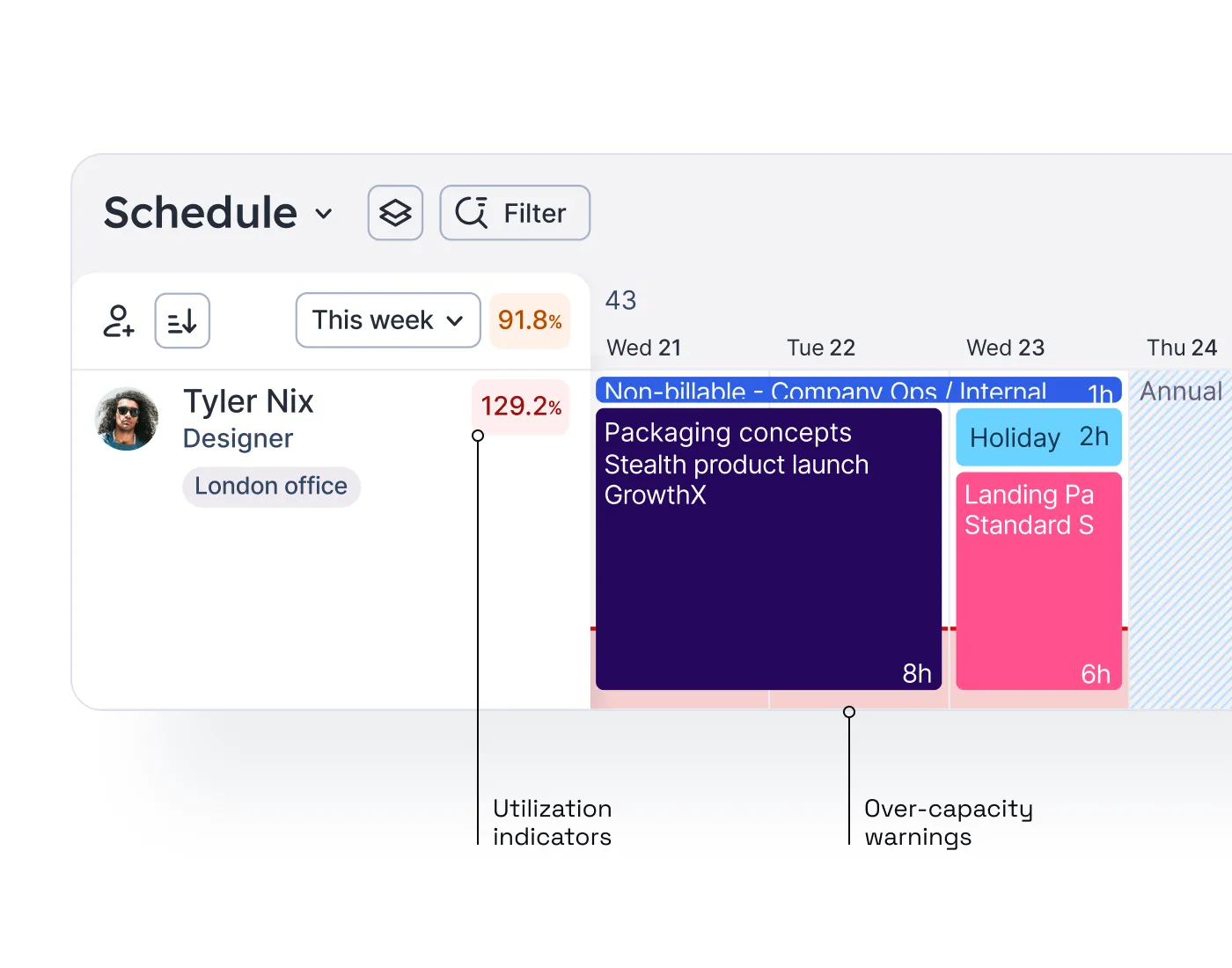
See utilization indicators and over-capacity alerts to keep workloads balanced—so no one gets booked while they’re off!
Availability settings
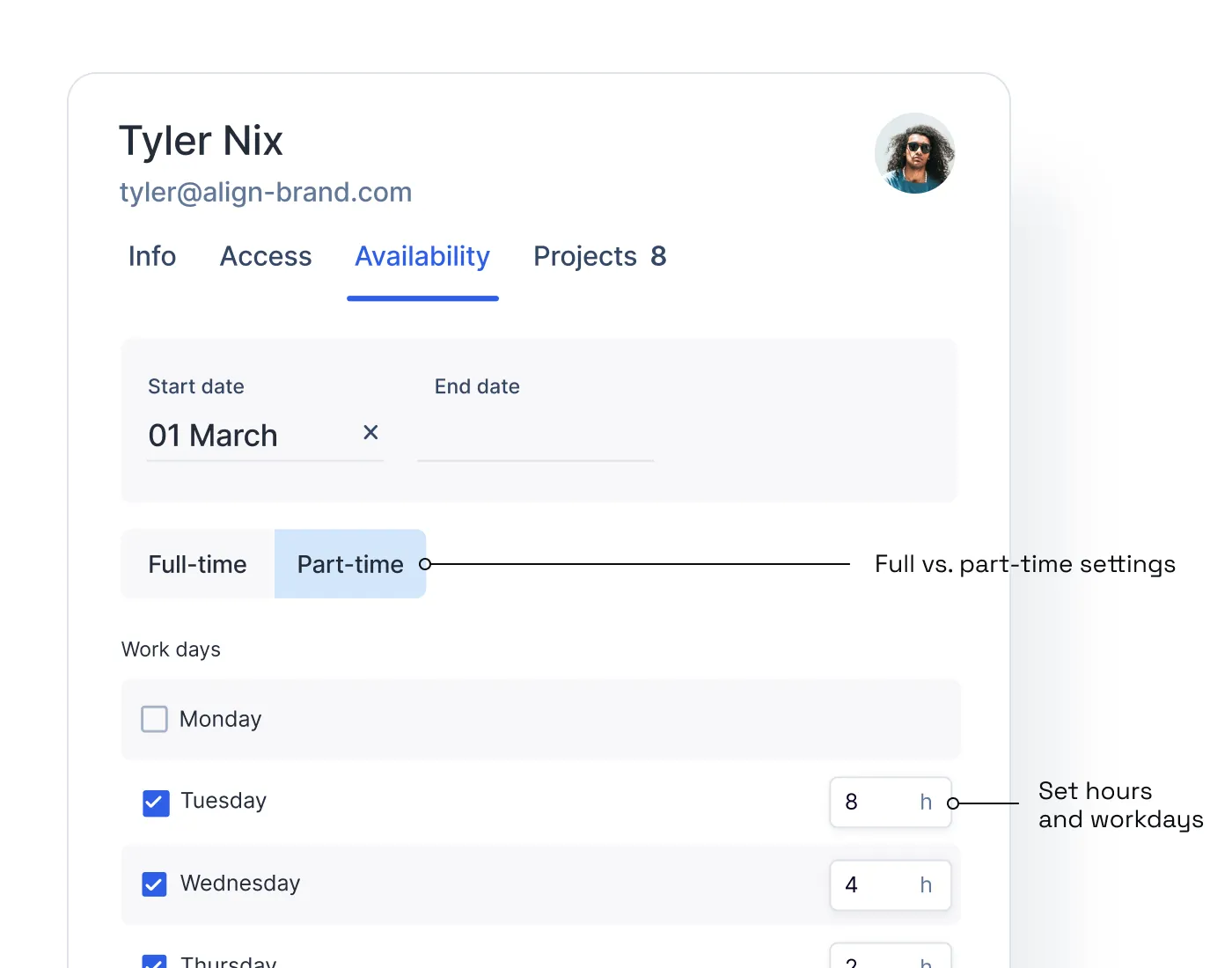
Keep a database of individual working hours and days (full-time or part-time) so your people are only allocated when they’re available.
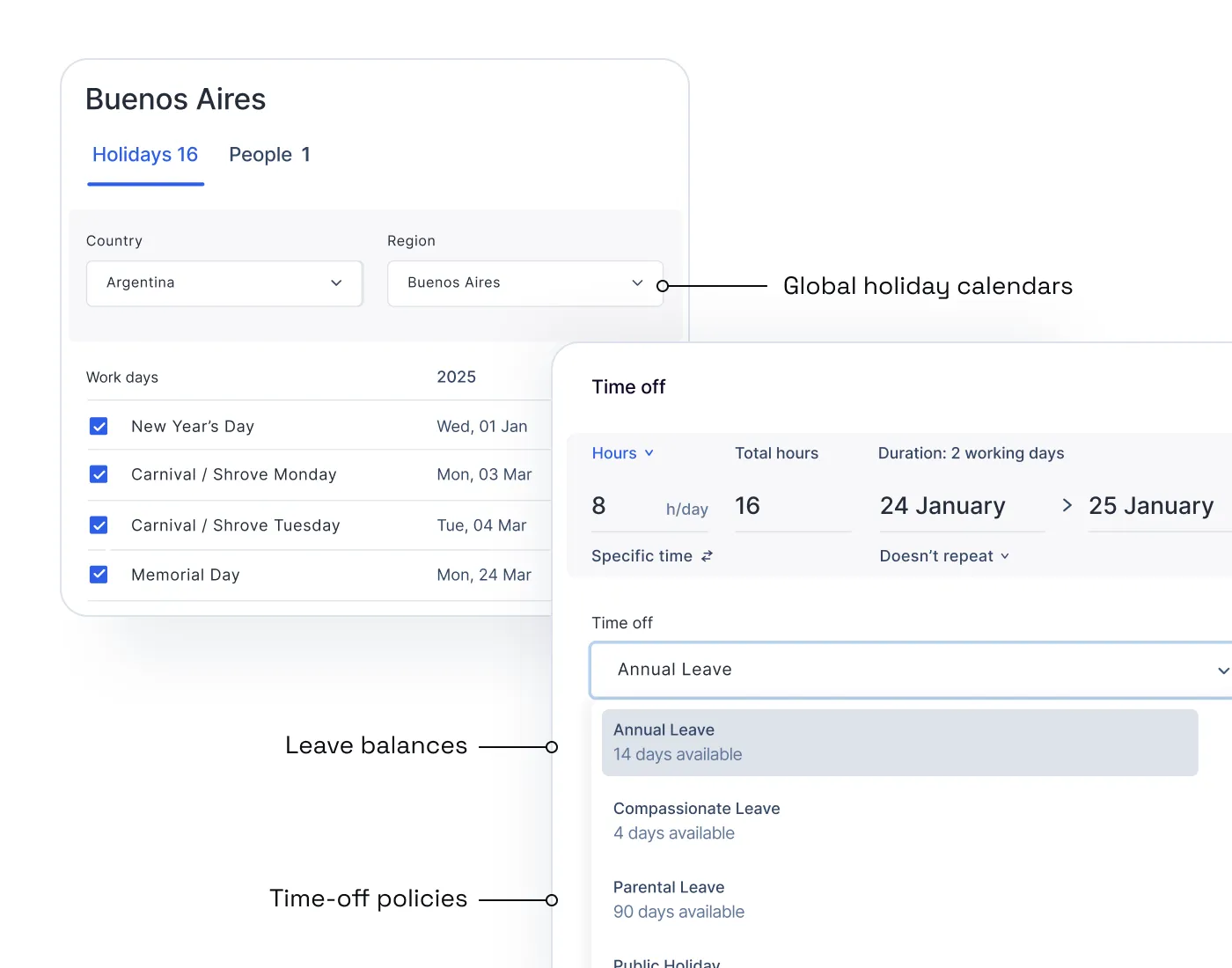
Time off management
Simplify leave management with custom policies, approval workflows, and auto-assigned regional holidays.
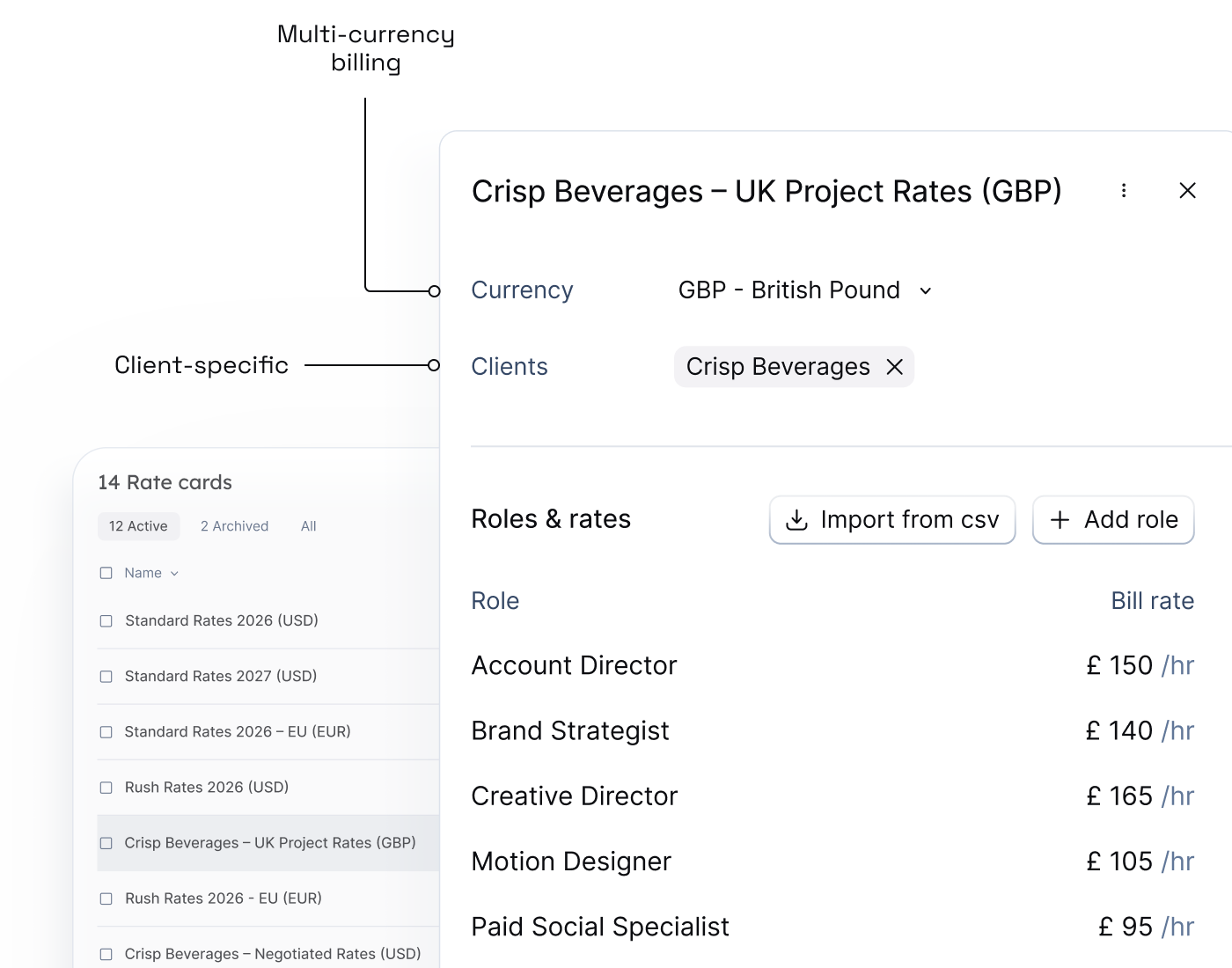
Customized team setups
Standardize roles with default cost rates, and build rate cards that set standard rates or client-specific rates across roles, in any currency. Add custom tags for location, skills, and seniority—so the right person for the job is just a filter away.

Float is really flexible. You can block out half or a certain number of days if somebody only works Monday to Thursday. It works for people working 80%, whether over four or five days. We can actually plan for every scenario we have in our agency.


Profitable delivery runs on connected data
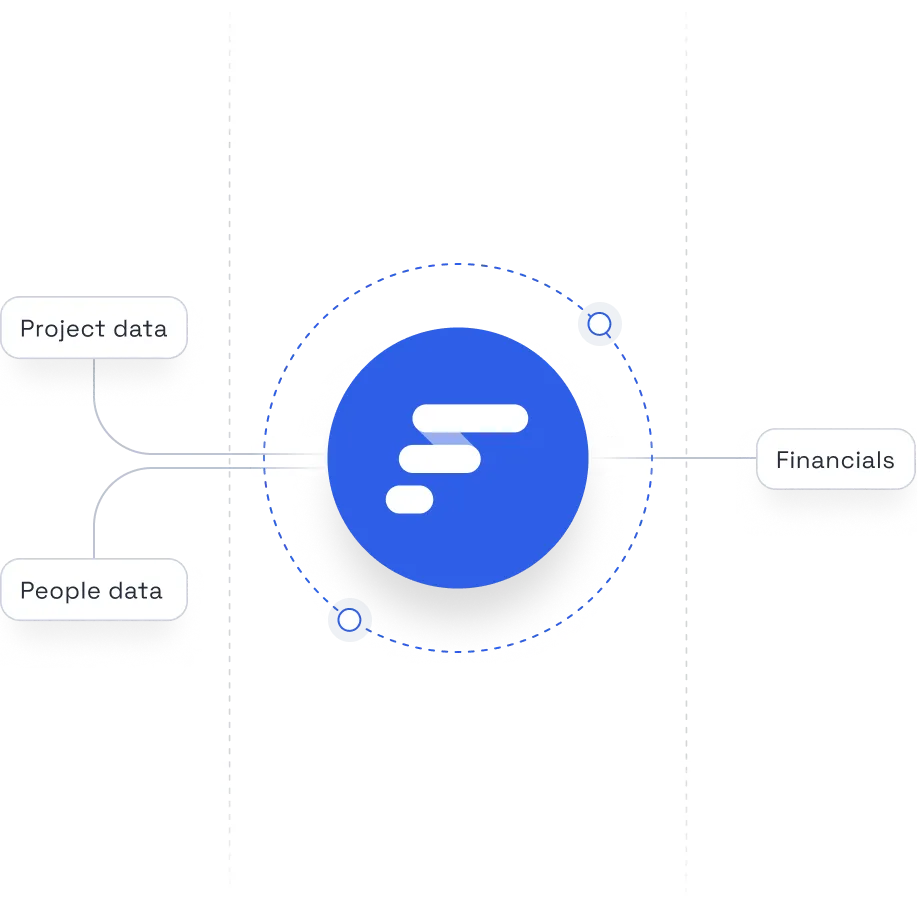
Float sits at the center of your people, project, and financial systems, keeping the data at the core of your operations accurate and always up to date.
Frequently asked questions
Capacity planning in Float is the ability to see real-time team availability, spot scheduling conflicts, and balance workloads across your team from within the Schedule. This lets you allocate work realistically, avoid burnout, and make resourcing decisions that protect delivery timelines and margins.
Float prevents double-booking by showing real-time availability and over-capacity warnings, highlighting conflicts as you plan. You’ll see over-allocations instantly, be able to account for time off, and set clear capacity limits; that means work is assigned realistically and delivery stays on track without burning out your team.
Yes. Float supports part-time employees, contractors, and flexible working hours. You can set custom availability, working days, and capacity per person, so plans reflect how people actually work and resourcing decisions stay realistic, fair, and profitable.
Float lets you track time off and global holidays directly in the Schedule. Approved leave is automatically factored into availability, capacity, and planning views, so people aren’t booked when they’re away.
Yes. Float lets you define custom roles, skills, and rates for each team member. This gives you the context to plan work around the right people (not just who’s available) so resourcing decisions support delivery quality and project profitability.
Unlike static spreadsheets that require ongoing maintenance and updates, Float updates live as work, availability, and time off change—highlighting conflicts, capacity risks, and financial impact as you plan. With drag-and-drop features and color coding, you need fewer manual updates, see fewer mistakes, and can easily make decisions that protect both your people and your margins.
Bonus point: Float’s structured people and capacity data creates the foundation for AI-driven recommendations over time—helping teams forecast demand, spot risk earlier, and staff work more intelligently as complexity increases.
Yes. Float integrates with popular project management, time tracking, and finance tools like NetSuite, Jira, Asana, Monday.com, ClickUp, Wrike, Slack, Google Calendar, Outlook, so resourcing stays connected to how work is planned, delivered, and billed. You get a single source of truth for your people, projects, and profit, without switching systems or duplicating data.