
Access roles: default structure, with the flexibility to scale

One of Float’s most requested features is here! You told us Float’s default access needed to reflect how you organize your team, and that you needed room to change them when they no longer fit. The newly updated access roles are Float’s answer to both.
Heads up: we’re rolling it out in phases over the next week, so don’t worry if you don’t see it in your account yet.
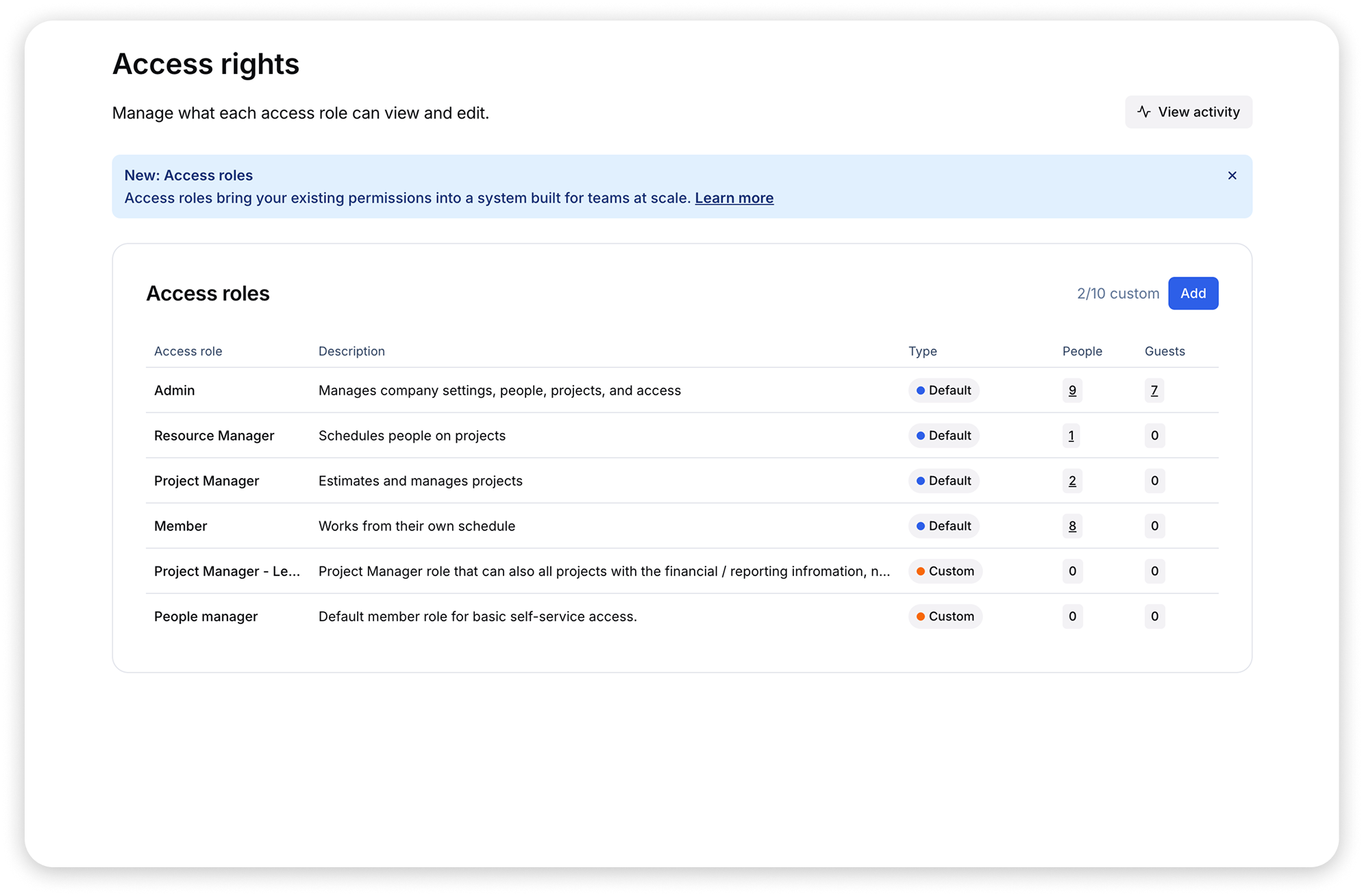
To be clear: your previous access and permissions carried over exactly as they were—you don’t need to reconfigure anything to keep working the way you do today. Anyone who didn’t match our new defaults was granted person-level overrides indicated by a blue dot next to their name on the People page.

New defaults that match the work you do
The new access roles let you match Float to how you typically divide up work on your team. These new defaults are opinionated and built around the most common workflows we see:
- Admins* administer the account by setting permissions, configuring shared data in Data studio (rate cards, roles, clients), and viewing sensitive financial information
- Resource Managers own edits to the Schedule and staffing
- Project Managers plan and estimate project work, can set budgets, and draft teams
- Members view their own schedules and submit time logs when time tracking is in use
*Note: every account has a single designated Account Owner, with all available permissions. This role is assigned by default and isn't configurable, so it doesn't appear on the access roles page.
Customize further on Pro and Enterprise
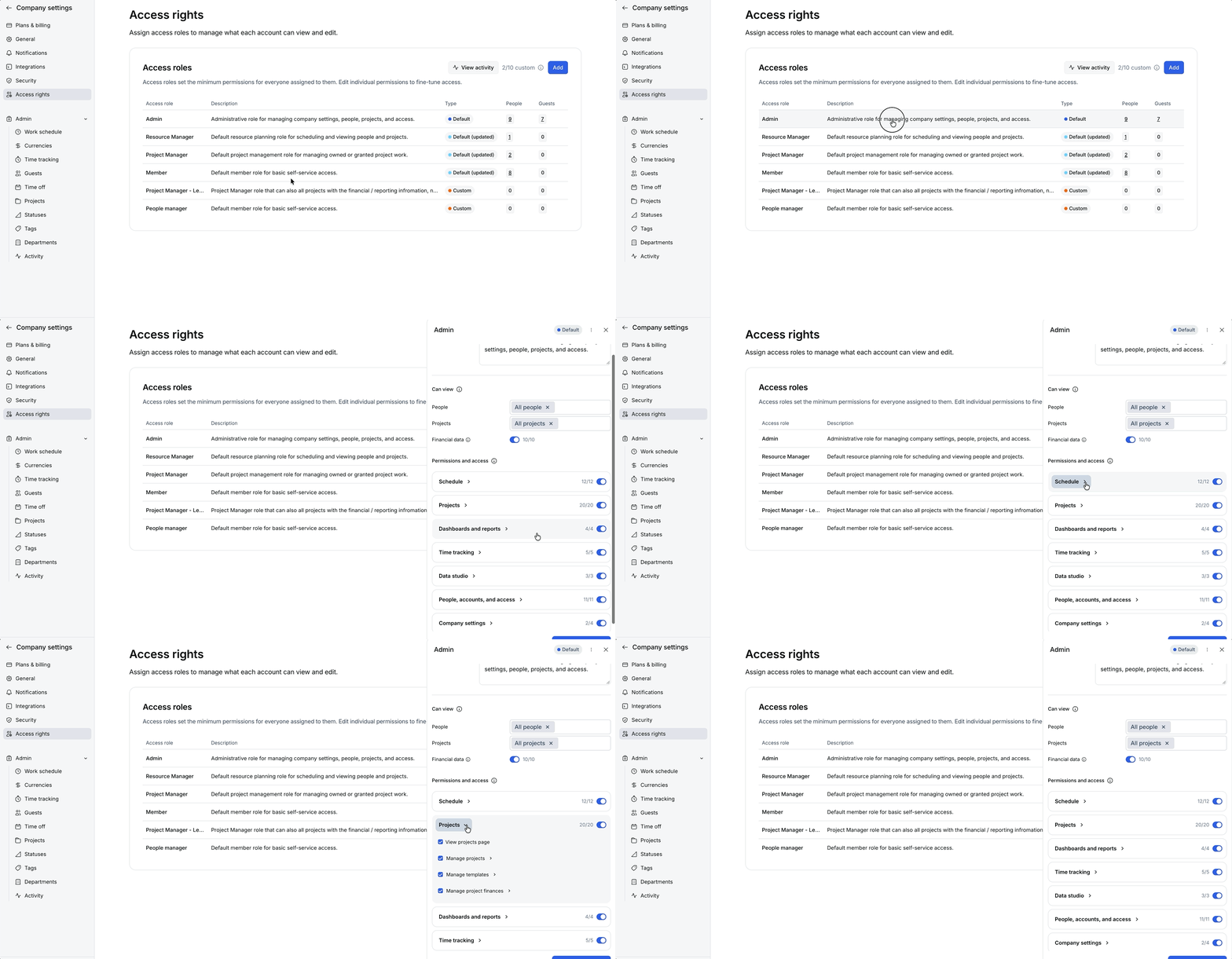
The defaults above are just the starting point. On Pro and Enterprise, five additional updates let you shape them around how your team works:
- Create custom access roles
- Edit the permissions once to update everyone with that same access role
- Scope access by relationship to project
- Fine-tune access with more granular permissions per access role
- Rename access roles to fit your internal terminology
Plan availability
- Starter: default access roles only, with per-person permission overrides. Ideal for smaller teams that want structure without a lot of setup.
- Pro & Enterprise: full access role customization for up to 10 custom roles. Rename access roles, edit their permissions, and clone or create custom access roles to match how your team is organized. Plus, any changes or updates made are automatically applied in bulk to anyone who holds that access role.
How to use new access roles
Define access roles in Company settings, then assign them to your team and manage person-level overrides from the People page.
It doesn’t need to be done immediately, but we recommend revisiting your person-level overrides. If a default role now covers what that person does, you can move them over and drop the override. You’ll have fewer exceptions to keep track of as your team grows.
Learn all about it
Get all the details, including a full feature demo in our on-demand walkthrough. Walk away knowing how to fine-tune your access roles. Watch the walkthrough →


